
Download Imagina – Photo Editing, Video Editing, 3D Image Viewing, Rapid Movie Playback, Automatic Image Adjustment, User-Friendly Interface
Overview
Imagina is a mobile application designed for users seeking a straightforward yet capable tool for photo and video editing. It serves as a utility for individuals who wish to enhance visual content without navigating complex software. The app supports various file formats, enabling users to work with images and videos across different sources. Its core purpose lies in simplifying visual editing tasks, making it accessible to both novice users and those with moderate experience. By focusing on efficiency and ease of use, Imagina helps users improve the visual quality of their media with minimal effort.
The app is particularly beneficial for individuals who need to quickly edit photos or review video clips without investing time in mastering advanced editing platforms. Real-world use cases include preparing images for social media, organizing personal photo albums, or swiftly reviewing video footage. For users who prioritize functionality over technical depth, Imagina offers a practical solution within a compact package. Although the developer did not provide additional background details, the app’s longevity since its release in 2014 suggests a stable presence in the mobile photography ecosystem.
Imagina contributes to the broader mobile utility landscape by delivering essential editing tools in a lightweight format. Its ability to handle multiple media types within a single interface positions it as a useful tool for casual creators and digital enthusiasts alike. The app’s continued availability indicates a sustained relevance, even in a market with evolving visual content demands.
Key Features & Functionality
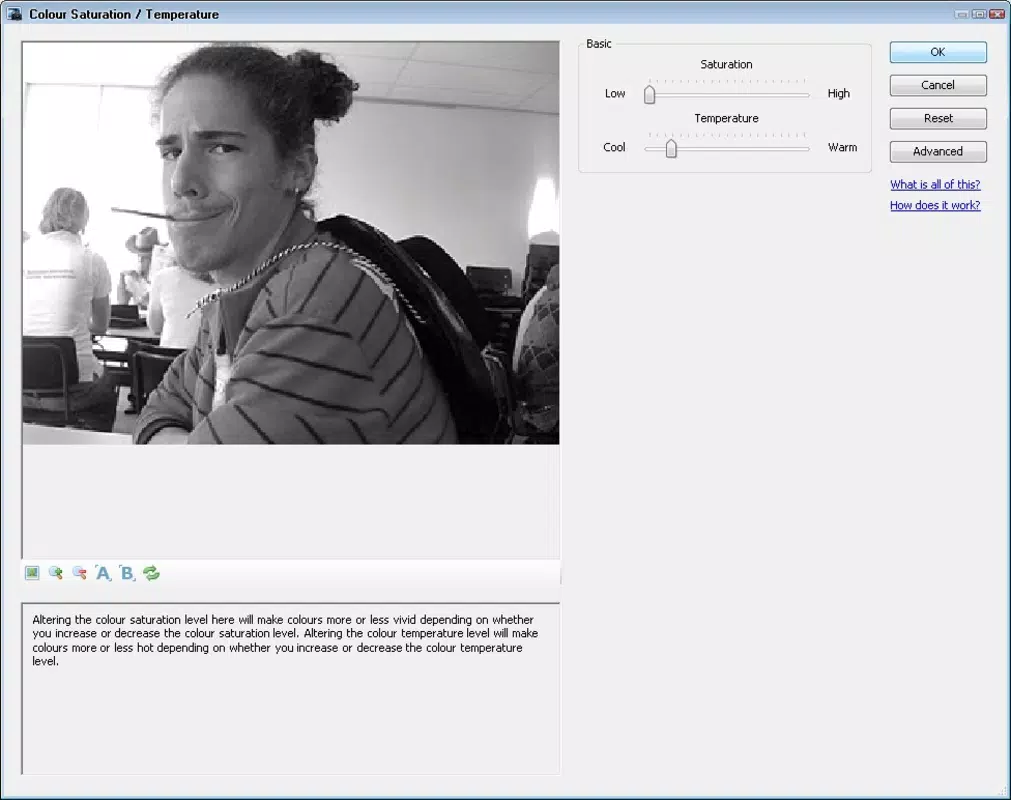
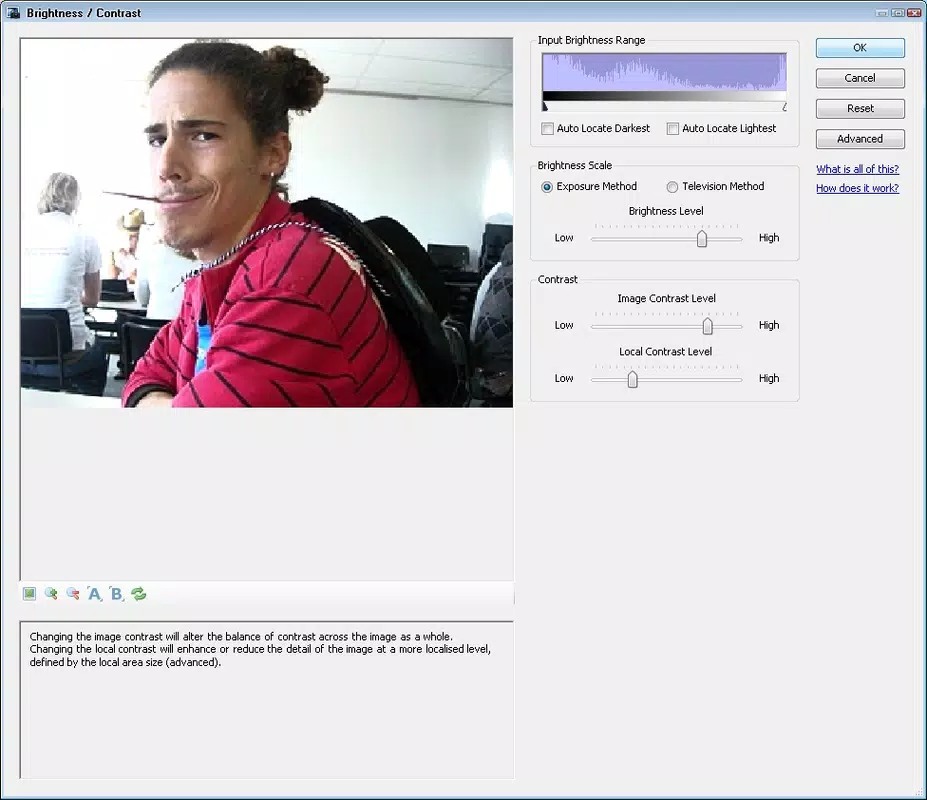
- Basic Editing Tools: Imagina includes core editing functions such as adjusting brilliance, contrast, saturation, and color scale. These tools allow users to fine-tune images with precision, enabling improvements in lighting, depth, and vibrancy. For example, a user can enhance a dimly lit photo by increasing brilliance and contrast, making the image more dynamic and visually appealing.
- 3D Image Viewing: A distinctive feature of Imagina is its support for 3D image viewing. This functionality allows users to experience photographs in a more immersive way, adding depth and spatial awareness to standard flat images. This is especially useful for users exploring stereoscopic content or those interested in visual experimentation.
- Rapid Movie Playback: The app enables quick playback of video files, allowing users to review clips efficiently. This is ideal for content creators who need to scan through footage to select the best moments without using full-featured video editors. It streamlines workflows by reducing the time spent on navigation and playback.
- Automatic Image Adjustment: Imagina features an intelligent algorithm that analyzes images and applies enhancements automatically. This saves time and ensures consistent visual quality, particularly beneficial for users without advanced editing knowledge. For instance, a user can upload a poorly lit image, and the app will adjust exposure and color balance to improve overall appearance.
- User-Friendly Interface: The app’s interface is designed for immediate usability. Controls are intuitive, and the layout minimizes clutter, allowing users to begin editing without prior training. This simplicity makes it a reliable choice for individuals seeking a hassle-free editing experience.
Interface, UX & Performance
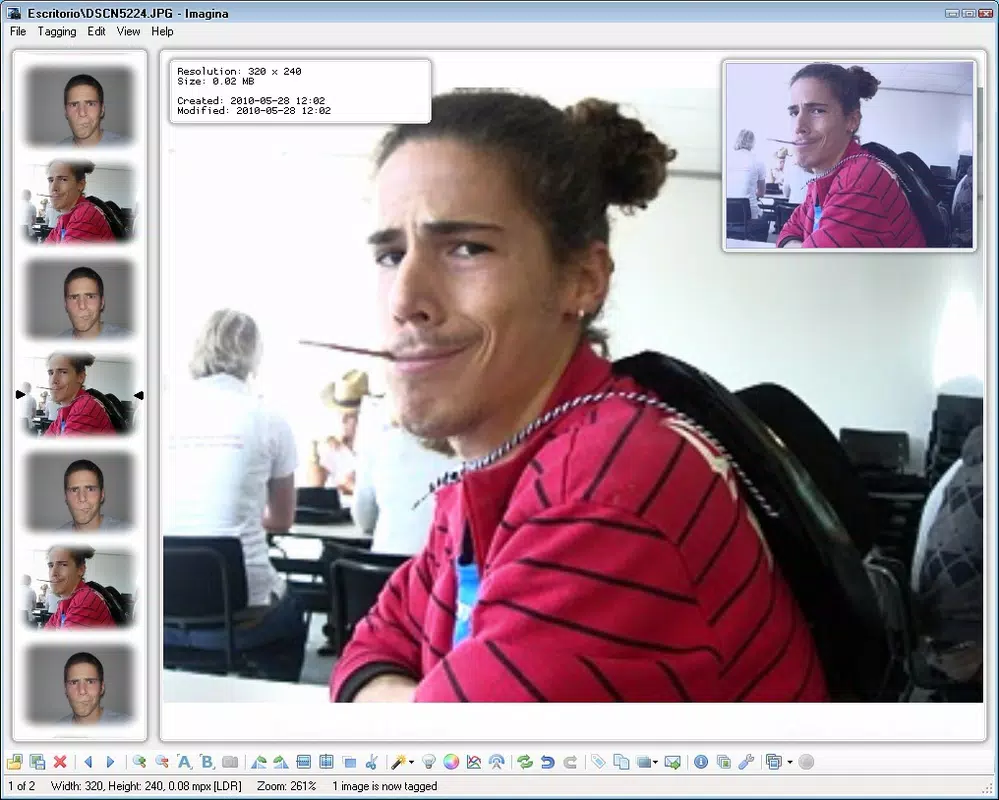
Imagina presents a clean and minimal interface, emphasizing functionality over visual complexity. The layout is structured around essential editing tools, with intuitive access to features such as brightness, contrast, and color adjustments. Navigation is straightforward, allowing users to move between images and videos with ease. The design prioritizes accessibility, ensuring that even users unfamiliar with editing software can operate the app confidently.
Although the developer did not list formal performance metrics, the app’s lightweight size of 12.4 MB suggests efficient resource usage. This indicates that it is likely to run smoothly on a range of Android devices, including those with lower-end hardware. The app’s responsiveness appears to be optimized for quick interactions, such as adjusting image settings or switching between media files. Stability is implied by its long-standing presence in the market since 2014, though specific crash reports or performance benchmarks were not disclosed.
Users can expect consistent behavior when performing basic editing tasks. The interface adapts to different screen sizes, ensuring a usable experience across various device categories. While detailed feedback on load times or processing speed was not provided, the app’s focus on simplicity suggests a prioritization of speed and reliability over advanced processing capabilities.
Platform Compatibility & Technical Requirements
Imagina is available on the Android platform and requires a compatible Android operating system. The current version is 1.1.0, with a file size of 12.4 MB, indicating a lightweight installation. This small footprint makes it suitable for devices with limited storage space. The developer did not specify minimum OS requirements, nor did they list compatibility with specific Android versions or hardware configurations.
Given its release date of 2014, the app may function on older Android devices, but compatibility with modern versions cannot be confirmed without additional details. Users should exercise caution when installing on newer systems, as older apps may encounter issues due to updated security policies or API changes. The absence of detailed technical specifications means that installation and performance on specific devices remain uncertain.
Pros and Cons
Pros
- Lightweight size (12.4 MB) enables easy installation on devices with limited storage.
- Simple, intuitive interface suitable for users with no prior editing experience.
- Supports multiple file formats for both photos and videos.
- Includes automatic image adjustment for quick enhancements without manual input.
- Unique 3D image viewing feature adds a distinctive visual experience.
Cons
- Developer did not provide detailed technical specifications or OS requirements.
- Version 1.1.0 is outdated, potentially affecting compatibility with current Android systems.
- Limited information on performance, stability, or update frequency.
- No mention of cloud integration, export options, or sharing features.
- Long release date raises concerns about ongoing support and security updates.
FAQ
Is Imagina safe to download and install?
Yes, the app is available through official Android channels and has been in use since 2014. However, users should ensure they download from trusted sources to avoid modified or compromised versions.
Can I use Imagina on iOS devices?
No, the app is currently only available for Android. There is no official iOS version or indication of future development.
Does Imagina require an internet connection?
Basic editing functions do not require an internet connection. However, the app may access online services for updates or analytics, though this was not specified by the developer.
How often is Imagina updated?
The developer has not disclosed an update schedule. The current version is 1.1.0, released in 2014, suggesting infrequent or no updates.
Can I edit videos with Imagina?
Yes, Imagina supports video editing, including rapid playback and basic adjustments. However, detailed video editing features such as trimming or transitions were not listed.
Final Thoughts
Imagina stands out as a lightweight, no-frills tool for users who value simplicity in photo and video editing. Its core features—basic adjustments, automatic enhancement, 3D viewing, and rapid playback—offer tangible benefits for casual creators and digital enthusiasts. While the app’s age and lack of modern updates raise concerns about compatibility and security, its enduring presence speaks to its foundational utility.
For individuals seeking a free, straightforward solution to enhance visual content without complexity, Imagina remains a viable option. Its user-friendly design and compact size make it accessible to a broad audience. However, users should be aware of potential limitations due to outdated development and minimal support.
Download Imagina now


